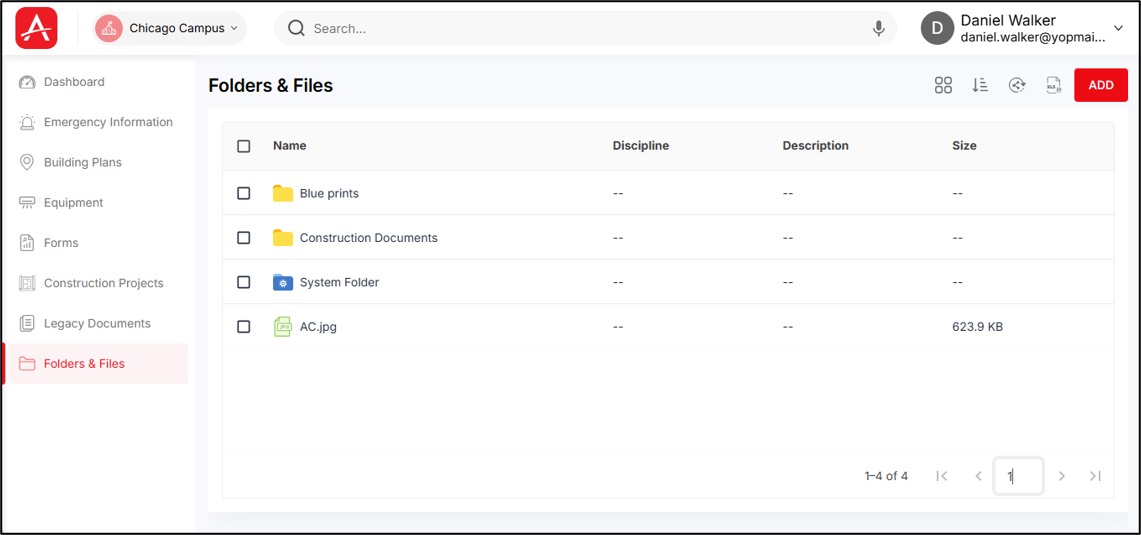
This module contains all the floor plans & files uploaded into your campus. This module will mainly consist of floor maps of each building, any linked files of equipment/shut-off/custom module, any compliance documents etc.
After you sign in, the Campus List screen appears.
To open the Folders & Files module:
- From the Campus List screen, select a campus. The Campus Dashboard appears.
- If you have just completed the campus map setup, the Campus Dashboard appears automatically.
- From the Campus Dashboard, select Folders & Files from the left panel. The Folders & Files module opens.
You can create folders, upload files inside folders, rename & move folders, open files to view through app Viewer from this module.
By default, the list view of the folders & files under this module will appear.